






ASUS AiCam

 |
Latest Version | 2.0.73.0 |
 |
Update | Aug,07/2025 |
 |
Developer | ASUSTeK Computer inc. |
 |
OS | Android 5.1 or later |
 |
Category | Tools |
 |
Size | 57.20M |
| Tags: | Tools |
-
Latest Version
2.0.73.0
-
Update
Aug,07/2025
-
Developer
ASUSTeK Computer inc.
-
OS
Android 5.1 or later
-
Category
Tools
-
Size
57.20M


 Download(2.0.73.0)
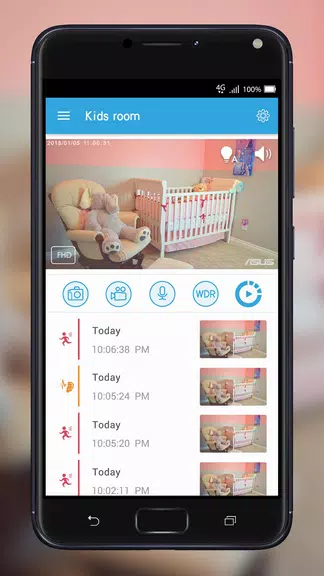
The ASUS AiCam simplifies setup and management of your AiCam devices. Its intuitive interface lets you view live feeds, switch cameras, take snapshots, and use two-way audio via the built-in mic and speaker. Adjust audio and motion sensors for tailored alerts. Securely store recordings in ASUS WebStorage cloud with a free plan offering seven days of continuous recording. Features like Timeline and My Favorite make finding and saving key footage effortless.
ASUS AiCam Features:
- Seamless Setup and Control: The ASUS AiCam app enables quick setup and management of multiple AiCam devices from your Android smartphone or tablet with just a few taps.
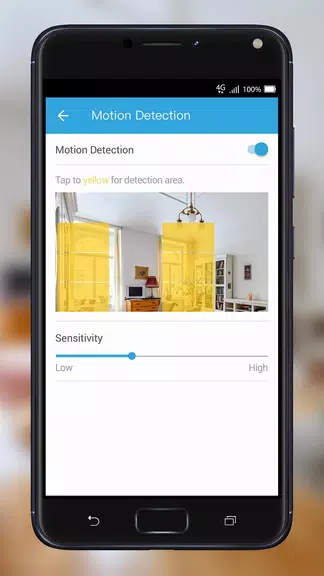
- Smart Sensors and Notifications: Fine-tune audio and motion sensors to trigger alerts for sound or movement, with instant video clips for quick review.
- Cloud Storage and Playback: Securely store footage in ASUS WebStorage with a free 24/7 plan for seven days of rolling recording. Use the Timeline feature to locate videos easily and save cherished clips with My Favorite.
- Sharp Footage Anytime: AiCam’s light sensor activates IR LEDs in low light, delivering clear HD footage day or night.
User Tips:
- Set Detection Zones: Customize motion sensor zones in the app to reduce false alerts and improve notification accuracy.
- Enable Two-Way Audio: Use the built-in mic and speaker for real-time communication with anyone near the AiCam.
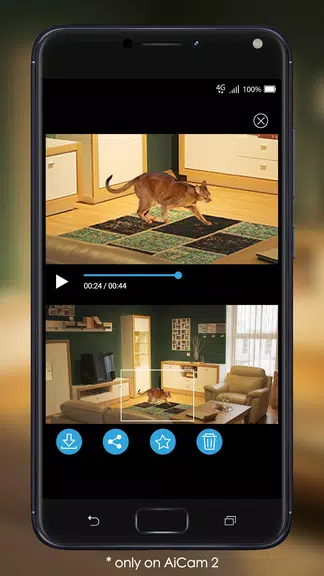
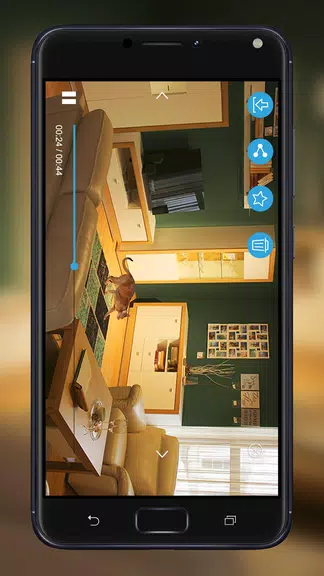
- Share Clips Effortlessly: Send captured videos to friends or family using the app’s easy sharing feature.
Conclusion:
The ASUS AiCam app delivers powerful features like simple setup, smart sensors, cloud storage, and clear day-or-night footage. With user-friendly controls, Timeline, and My Favorite, it ensures reliable monitoring of your home or office. Follow these tips to maximize your AiCam experience and enhance your surveillance setup.